Adding Go to Path
This page will teach you how to add Go to Path. It follows the same steps as adding make and protoc in the guide section.
1 - Locate the Go installation folder
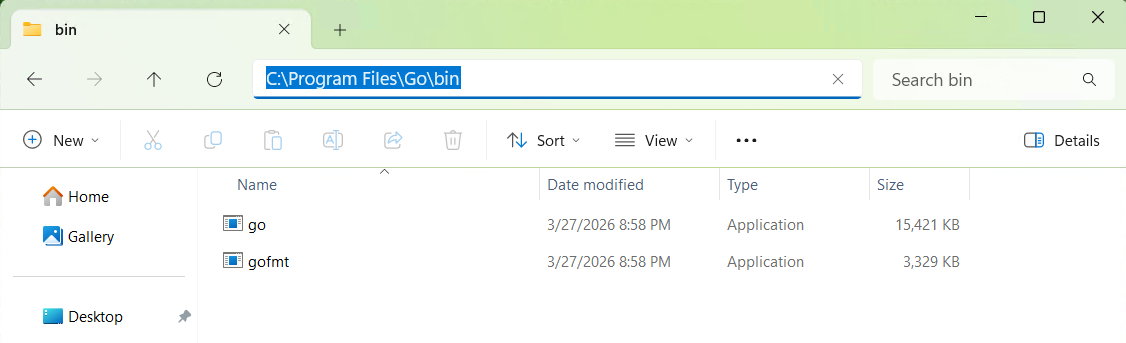
Navigate to the folder Go\bin and copy it's location.
Note
If you installed Go with default settings the path will be C:\Program Files\Go\bin. If you installed it in another place copy that location.
2 - Open the System Settings
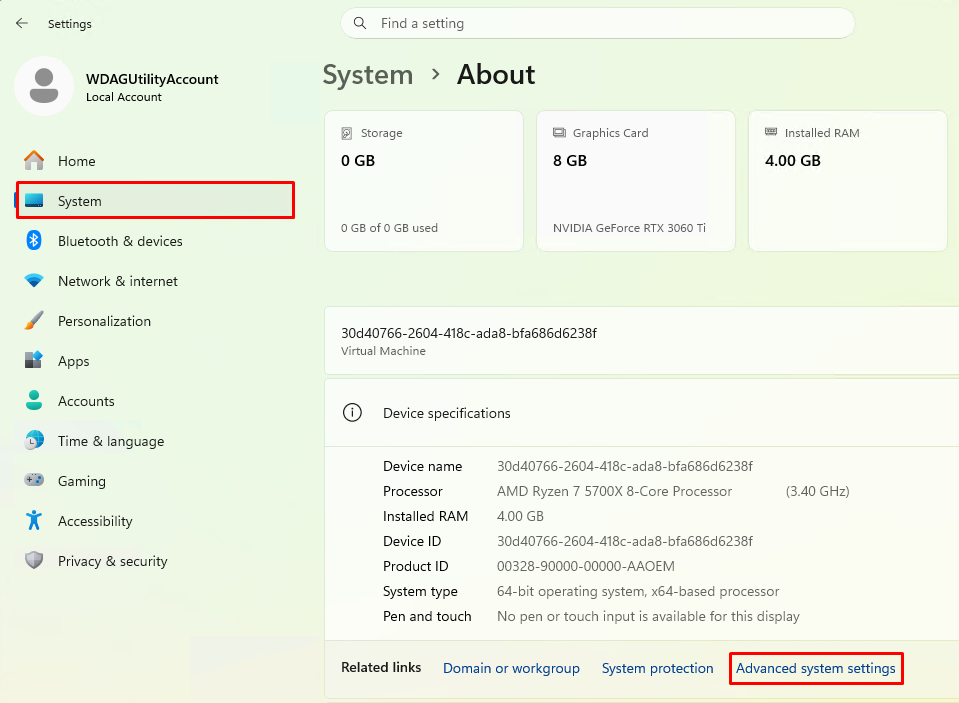
Open the Settings App. Select System>About and Advanced System Settings.
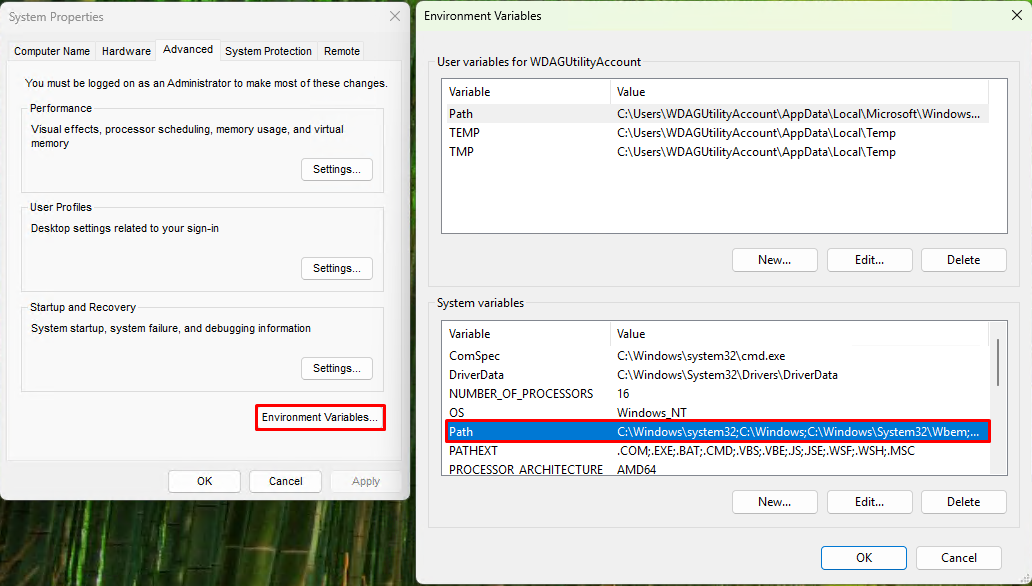
Press the Environment Variables button. Next double click on Path.
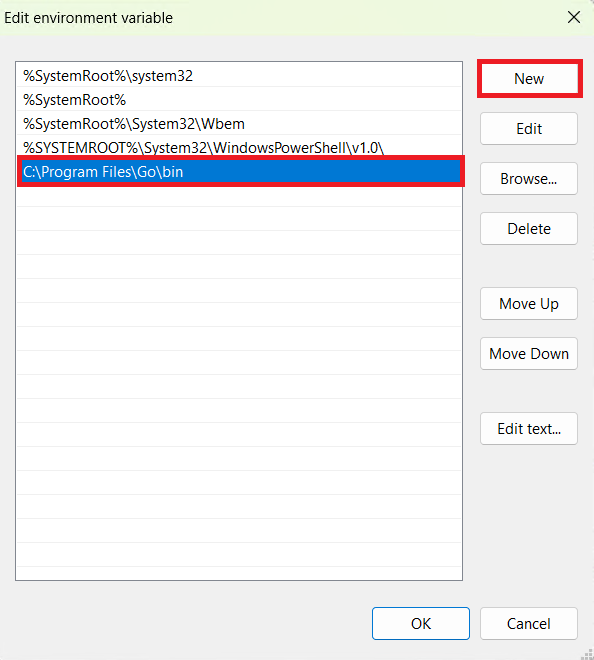
Press the New button and paste the location from above.
Press the Ok button in the windows to apply the settings.
3 - Checking if the Command Works
Note
If you have theCommand Prompt open, for any reason, close it and re-open it or the commands won't work.
Open the Command Prompt, type go and press enter.
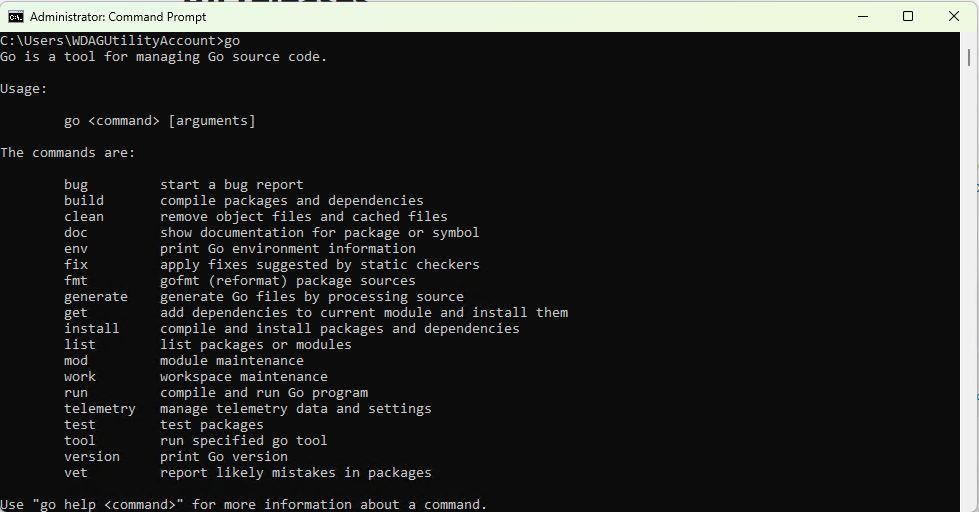
Success
The command should work now, like in the image above.